
Student engagement software should do more than deliver reminders and updates. It should help students take meaningful action. This article offers a more useful way to evaluate the category and what actually supports student success.
- Why notification-heavy platforms fall short in driving real engagement
- How to define student engagement software based on outcomes, not features
- What to look for when evaluating platforms, including integrations, personalization, AI, and measurement
- Common red flags that signal a platform will not deliver long-term value
- How software choices impact key student moments like orientation, registration, and support access
Notifications are easy to launch and easy to mistake for engagement. Information about orientation, notifications about registration holds, and event reminders are useful for surfacing important information, but don’t guide students to a clear next step. All of it can look productive inside a dashboard, but if students still do not know what to do next, where to go, or how to complete the task in front of them, the software is informing them without truly helping them.
This problem is all too common among campus engagement platforms. Many student engagement tools focus on sending messages rather than helping students complete tasks. Students don’t think in systems and shouldn’t have to; they want to know what matters now and what to do next. When software only raises awareness and sends students into the system maze, the institution expects students to do the integration work.
This is a gap that many student engagement software never closes. It broadcasts messages, but does not reduce digital friction. On a campus, that becomes a real problem fast, especially during the moments that shape confidence and belonging early: new student orientation, the first week of classes, financial aid steps, service handoffs, wayfinding, and deadline-heavy periods that leave little room for guesswork.
If you are evaluating student engagement software, the right question is not, “Can it send notifications?” It is, “Can it help students take the next important action?” That is the standard that matters for retention, adoption, and long-term usefulness.
Why Notifications Alone Are Not an Engagement Strategy
Students tune out notification-heavy platforms quickly.
What looks like engagement at launch often fades within weeks. A stream of reminders, alerts, and banners may increase visibility, but it does not create sustained usage if students still have to figure out what to do next.
Students do not ignore messages because they dislike communication. They ignore messages that arrive without context, relevance, or a clear path forward.
That drop-off shows up at the moments that carry real risk. Orientation, registration, financial aid steps, and support access are not experiences where students can afford to be passive. When students cannot easily move from a message to a completed task, the small points of friction turn into missed deadlines, unresolved issues, and, over time, disengagement.
In Brookings’ review of college access and completion interventions, information and reminders alone are described as generally insufficient to improve completion, and the report points to institutional complexity itself as a barrier that students struggle to navigate.
At the same time, the National Survey of Student Engagement links meaningful engagement practices to outcomes such as persistence, satisfaction, and graduation.
The issue is not communication volume or amount, it is the disconnect between awareness and action.
That is why Modo talks about creating a digital front door as a gateway to practical outcomes: less hunting across systems, fewer workarounds, and a faster path to task completion. The point is not a better notification layer; it is a unified experience layer that connects the message, the context, and the next action in one place.
A notification-first digital campus platform focuses on delivery. Effective student engagement software connects notifications and awareness to the next step. If it cannot do that consistently, it is communication software, not student engagement software.
What Student Engagement Software Should Actually Do
Good student engagement software turns information into action. A more useful definition is: student engagement software should work as a unified experience layer that sits above the systems a campus already depends on, providing context and easier access through a single campus app + portal. It should not replace the SIS, LMS, or service systems; it should make those systems easier for the student to use as they move forward.
The best way to define it is by student outcomes rather than by the number of surface-level features. A platform does not earn this label because it can send messages, publish announcements, or organize links. It earns the title of student engagement platform by helping students complete important tasks, stay on track, and stay connected to campus life. That is the standard that should guide your evaluation.
In practice, that means the software should help a student open one experience and immediately understand what matters now and what to do about it.
Today, that might be checking a class schedule and navigating to the right building, completing an LMS assignment, resolving a dining balance, tracking a shuttle in real time, booking a support appointment, or joining an event all from the same platform.
Tomorrow, it might mean reviewing a financial aid checklist and submitting the next required document, resolving a registration hold, finding and following the correct policy step, or reporting a facilities issue when something in a residence hall goes sideways.
It also means the platform experience has to work for all departments at your institution. Your IT and security teams need governance, control, integrations, and data protection. Your student success and student affairs teams need usability, relevance, participation, and measurable outcomes.
These are not competing priorities; they reflect the same underlying pressure. As EDUCAUSE notes in Meeting Students Where They Are, institutions are expected to deliver support in flexible, multimodal ways that match how students actually navigate campus life. Meeting that expectation is only possible if the underlying systems are both well-governed and user-friendly.
The best platforms do not force a tradeoff between infrastructure and experience. They create a role-based experience that makes existing systems easier to use, without pretending those systems should disappear.
The Evaluation Framework: What to Look For
If the platform cannot help students complete important tasks, it does not meet the standard for student engagement software. Use the following criteria to evaluate whether a platform supports real student outcomes or simply delivers information.
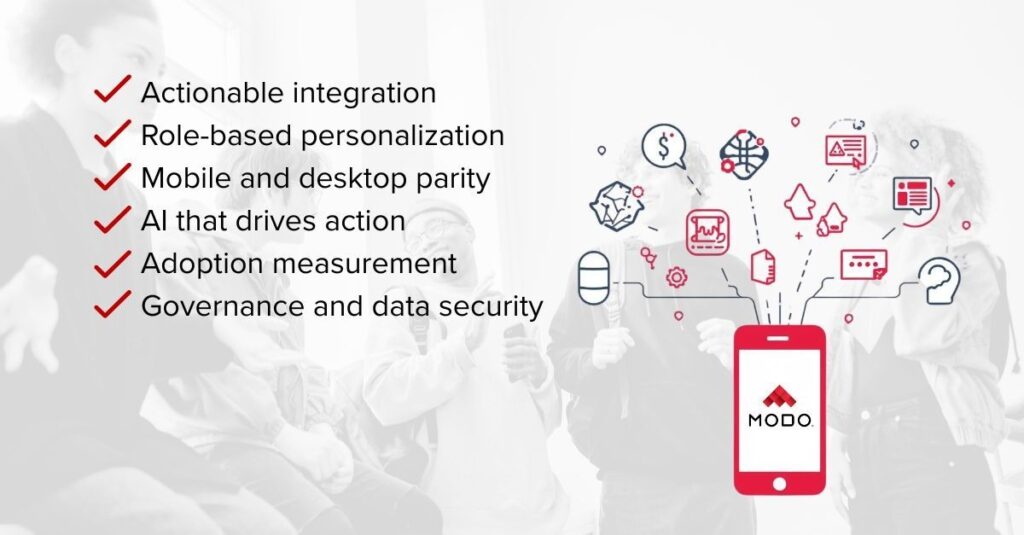
Actionable Integrations
Your students do not experience campus as separate systems, so your software should not either.
Strong student engagement software connects to the systems students already rely on, including SIS, LMS, financial aid, housing, advising, dining, digital ID, and support services, then surfaces the right action with context.
That is why integration depth matters more than integration count. A platform can claim to have dozens of integrations and still behave like a link farm if students are pushed into redirects, extra logins, and disconnected workflows. Modo’s view is that integrations should make information actionable inside the same experience whenever possible, not just expose more places students have to visit.
A long list of integrations is not enough if the experience still sends students hopping from login to login like a scavenger hunt.
Role-Based Personalization
A first-year student, a senior, a commuter, a resident assistant, and a faculty member should not all see the same experience. Relevant content drives adoption. If every user gets the same homepage, the same content stack, and the same calls to action, the platform will feel generic almost immediately and end in a disengaged user.
Mobile and Desktop Parity
A mobile-first experience is not the same as mobile-only. Some moments happen on the move, like wayfinding, event discovery, digital access, or dining. Others are better handled on a laptop, like reviewing aid details, comparing course options, or working through a complex registration issue.
Good software keeps the experience consistent across its app and portal, so students do not have to relearn the system and where to complete tasks every time they switch devices.
AI That Drives Action
AI should help students get unstuck, not just chat and surface generic FAQ information. A chatbot layered on top of campus systems often adds more roadblocks than solutions. Higher education AI should be embedded within the campus experience, connected to real institutional data, and able to help students take action.
A useful model can answer a question from trusted institutional sources, then guide the student toward the next step, whether that means finding the right service, clarifying a policy, surfacing the task that resolves the issue, or helping the student move into the right workflow without starting over elsewhere.
This also raises a quality question. Not all higher education AI improves outcomes on its own. Research from Brookings shows that predictive models used in higher education can introduce bias, including underestimating success for certain student groups, even when those students ultimately graduate.
That raises the standard for how AI should be used in student engagement. It should not be used to label or predict students in isolation. It should help students move forward with transparency, institutional control, and governed access to trusted data built in.
Adoption Measurement
Open rates are not enough. Neither are download counts. You want to know whether students keep coming back, whether core tasks are being completed, whether key moments improve after launch, and whether the platform becomes part of daily campus life.
Customer proof matters here. At VCU, the portal doubled engagement, showing what happens when the experience becomes genuinely useful rather than just visible. And at UA-PTC, Modo-powered AI reached 94.5% adoption, which is a much stronger signal of value than message delivery alone.
If the only success metric is message delivery, you are measuring activity, not value. The better standard is adoption tied to outcomes: repeat usage, task completion, and evidence that the experience is earning a place in daily campus life.
Governance and Data Security
This is not optional, especially on a regulated campus. Ask how permissions are handled, how identity and SSO work, what data sources power the experience, how AI responses are governed, and how administrators maintain control as the platform evolves.
Good engagement software should reduce complexity for students without creating risk for the institution.
Red Flags to Watch for During Evaluation
Most disappointing platforms fail in familiar ways.
The first red flag is narrow thinking. This is also how campuses end up with app sprawl. One tool for one use case may seem harmless in isolation, but over time it creates more student-facing fragmentation, more departmental silos behind the scenes, and more systems for IT to support. Under budget pressure, that is not just an experience problem. It is a consolidation problem.
A standalone tool that solves one problem neatly can still create bigger problems elsewhere if it does not connect to the rest of the student journey.
The second is a weak user experience. Plenty of tools technically work, but still feel like link farms, mobile-responsive websites, or disconnected destinations that students tolerate rather than use.
Watch for these warning signs during evaluation:
- Notification-first design with shallow integration depth.
- One-size-fits-all experiences for every campus persona.
- Mobile that feels like an afterthought, or desktop that feels like a different product.
- AI bolted on as a chatbot, with no connection to workflow.
- Reporting focused on sends, opens, or downloads, instead of adoption and outcomes.
- No credible post-launch plan for iteration, governance, and change management.
A useful rule of thumb: an app’s first day should not be its best day. If the platform is hard to evolve, hard to govern, or hard to extend as student needs change, it will quickly age, no matter how polished the demo looks.
The Student Moments Where Software Choice Makes a Difference
The impact of your software shows up in the moments where students need to act quickly and confidently.
Orientation is one of the first places. This is often the first time students meet a patchwork of systems, locations, and expectations all at once. They need schedules, checklists, maps, updates, service steps, and a clear sense of where to go next. For some students, especially those balancing work, family obligations, or limited device access, the friction is not a mild inconvenience. It is an early signal about whether the institution feels navigable at all.
Then comes the first day of classes. A student may need to find a building, pull up a class schedule, check an LMS assignment, confirm a bus route, order food between classes, or figure out why a course is not showing correctly. If every answer lives in a different place, the campus experience starts to feel like a series of small penalties for not already knowing the system.
Registration and financial aid make the gap even clearer. A reminder that says “action required” is only useful if the student can see the issue, understand the reason, and move toward resolution without hunting across departments.
The same is true for support services, policy lookups, facility issues, or reporting a problem in housing. A campus app and portal should help students complete these jobs, not simply notify them that the jobs exist.
Then there is belonging. Students are more likely to stay when campus starts to feel legible and social, not just administrative. Discovering clubs, events, communities, and timely support matters because it helps students move from “I got the message” to “I know where I fit.”
How Modo Campus Goes Beyond Notifications
Modo is built around a specific category point of view: student engagement software should not stop at communication. It should function as a unified experience layer that helps students move from awareness to action across the systems they already rely on. In practice, that means one branded campus app + portal that sits above existing tools and makes the campus feel more coordinated, even when the backend is anything but.
In higher education, Modo’s student engagement solution is designed to eliminate academic friction, automate routine tasks, and support student success through a connected campus experience. It brings together the systems students already rely on into a single, unified experience, instead of forcing them to navigate each one separately.
That shows up in how the experience works day-to-day. It is not limited to mobile. The unified app and student portal stays consistent across devices, with role-based views and integrations to systems like SIS and LMS. The focus stays on helping students complete core tasks with less effort, not adding another front-end students need to decipher.
It also shows up in AI. Rather than treating AI like a flashy layer on top of fragmented systems, Modo’s AI approach centers trusted institutional knowledge sources inside the same campus experience to help users get accurate answers and move forward in context. In a market where AI claims are getting louder, a governed, practical orientation makes a meaningful difference.
Just as important, the platform is built to evolve. The strongest campus rollouts are not one-and-done launches. They start with high-value student moments, build daily usefulness, and keep improving as the academic calendar and user needs change. That is how adoption becomes a real measure of value, instead of a launch-week vanity metric.
Bring This Framework to Every Vendor Conversation
The strongest student engagement software does not just communicate. The stronger long-term move is not another notification tool or another isolated student app.
It is an app consolidation around one mobile-first, not mobile-only, experience that students can actually rely on. That is what makes a campus app + portal more than a delivery channel. It becomes the place where campus communication, services, and next steps finally connect.
It helps students navigate the campus better and move forward with less friction at the moments that matter.
That is the real bar. Not who can send the most messages, but who can create a mobile-first, not mobile-only, experience that helps students take action, builds adoption through daily usefulness, and stays governed as the experience grows.
If you want to evaluate that standard in practice, request a demo or explore Modo Campus to see how it supports real student action.
Frequently Asked Questions
If you are evaluating student engagement software, these are some of the most common questions that come up during the process.
What Is Student Engagement Software?
Student engagement software is a platform designed to help students find information, complete tasks, and connect with campus life in a timely, relevant way. The best versions do more than communicate. They reduce friction at the moments that shape student success and belonging.
How Is Student Engagement Software Different From a Student Portal?
A student portal is usually one part of the experience, especially for desktop access and structured information. Student engagement software is broader. It should connect communication, services, actions, and role-based experiences across the student app and web portal, not just provide a login destination.
What Is the Difference Between Student Engagement Software and a Campus Experience Platform?
Student engagement software is a broad category. It can describe anything from communication tools to more advanced platforms that support student action and outcomes. A campus experience platform refers to a more complete approach. It brings together systems, services, and workflows into a single, connected experience across mobile and desktop.
The difference comes down to how fully the platform supports the student journey. Many tools labeled as engagement software focus on communication or specific use cases. A campus experience platform is designed to unify those interactions, so students can take action, navigate systems, and stay on track in one place.
What Features Should Student Engagement Software Include?
Look for actionable integrations, role-based personalization, consistent mobile and desktop experiences, governed AI, and strong adoption measurement. Features matter, but only if they help students do something meaningful with less effort.
How Do You Measure Student Engagement Effectively?
Start with behavior, not broadcasts. Repeat usage, task completion, feature adoption, service interactions, and engagement during high-stakes moments tell you far more than sends, opens, or downloads by themselves.
Can Student Engagement Software Improve Retention?
It can support retention when it removes friction at the moments most likely to derail a student’s progress. Software does not replace advising, support, or institutional strategy, but it can make those resources easier to find, easier to use, and more likely to help when timing matters most.